A 2xtwo build · document tool

Letter bundles that assemble themselves

Point the tool at a folder, name the covering letter, and it does the rest: it puts the letter first, sorts and labels the annexures, builds a Table of Annexures that matches, and runs one continuous page number straight through. An afternoon of fiddly assembly becomes a single command.

Download the free sample bundle Made by the tool it demonstrates
The problem it solves

One page goes in late, and the whole bundle has to be rebuilt

Anyone who has assembled a formal bundle knows the drill: order the letter and its attachments, write an exhibit label on each one, type a contents page by hand, and number every page in the corner. Then a single document arrives late, and the numbering, the labels and the contents page all have to be redone.

It is careful, thankless work, and it is exactly the kind of work a machine should do. This tool takes the whole job, the collation, the labelling, the contents page and the numbering, and does it in one repeatable step.

The sample bundle

A letter that explains itself, in four pages

The free download is a working demonstration: a short covering letter with two annexures, assembled by the very tool it describes. Every part below, the contents page, the exhibit labels, the red numbering, was produced automatically.

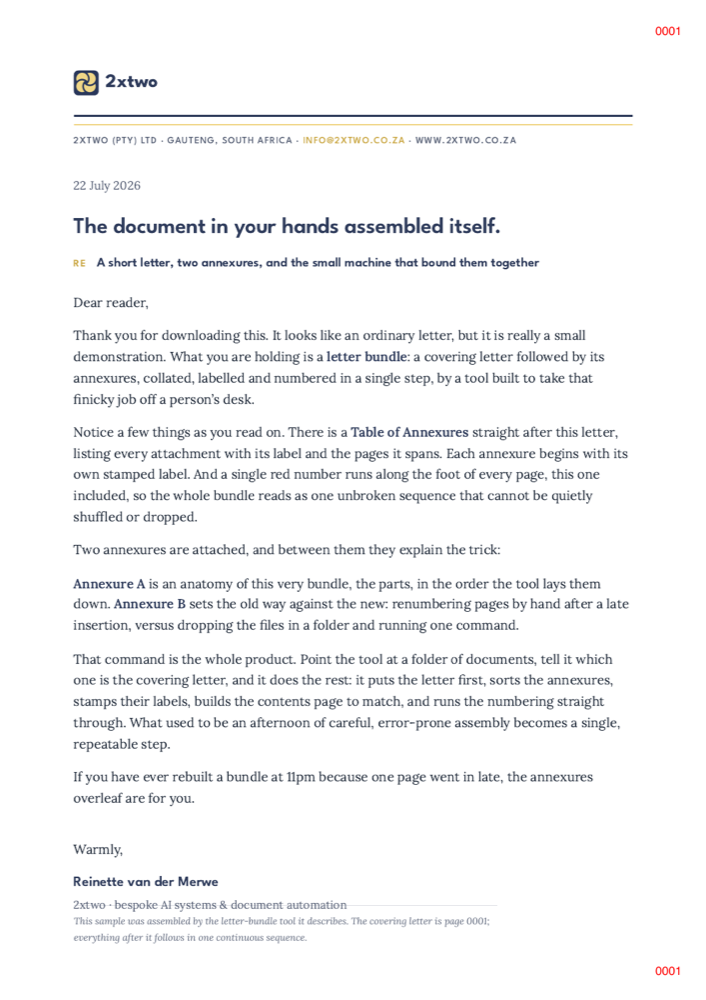
Page 1: the covering letter, page 0001 Covering letterPage 0001
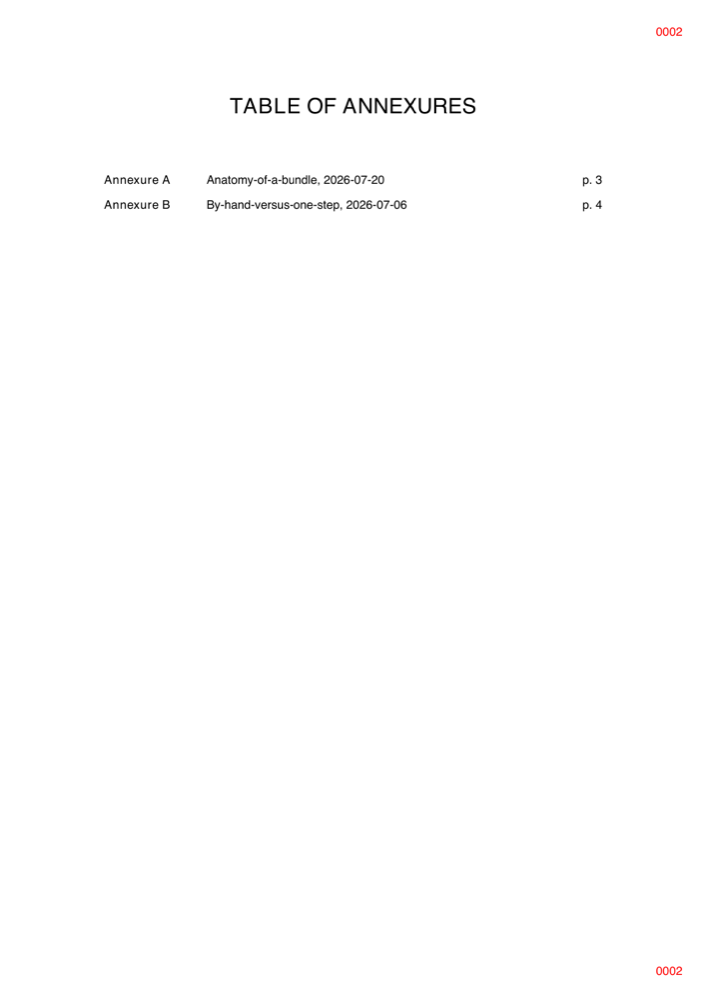
Page 2: the auto-generated Table of Annexures Table of AnnexuresAuto-generated
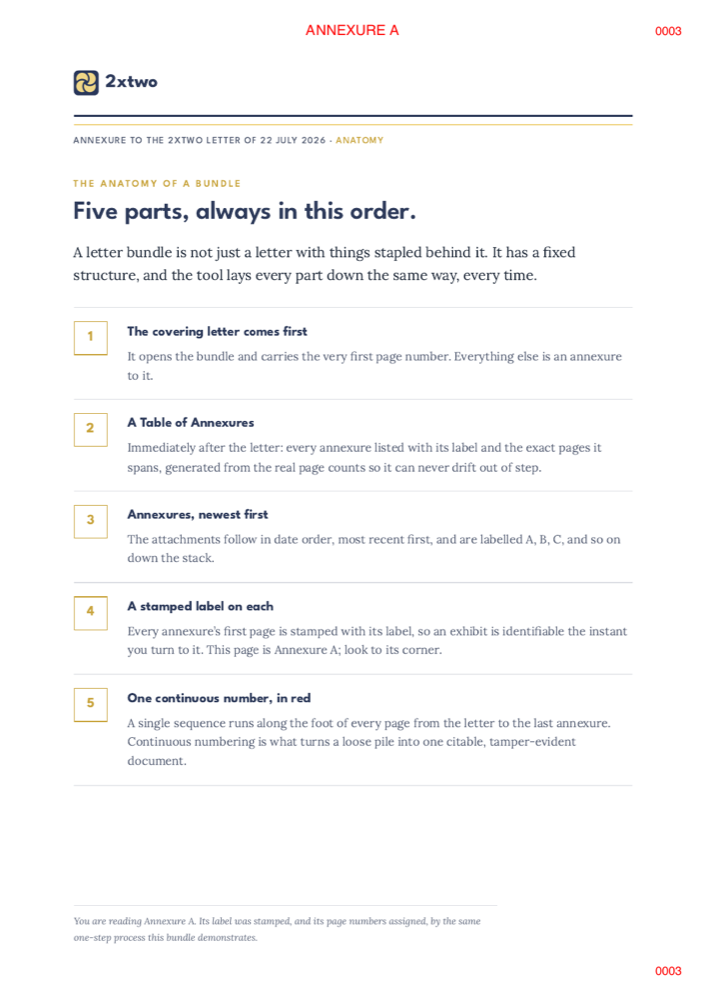
Page 3: Annexure A, with a stamped label Annexure ALabel stamped
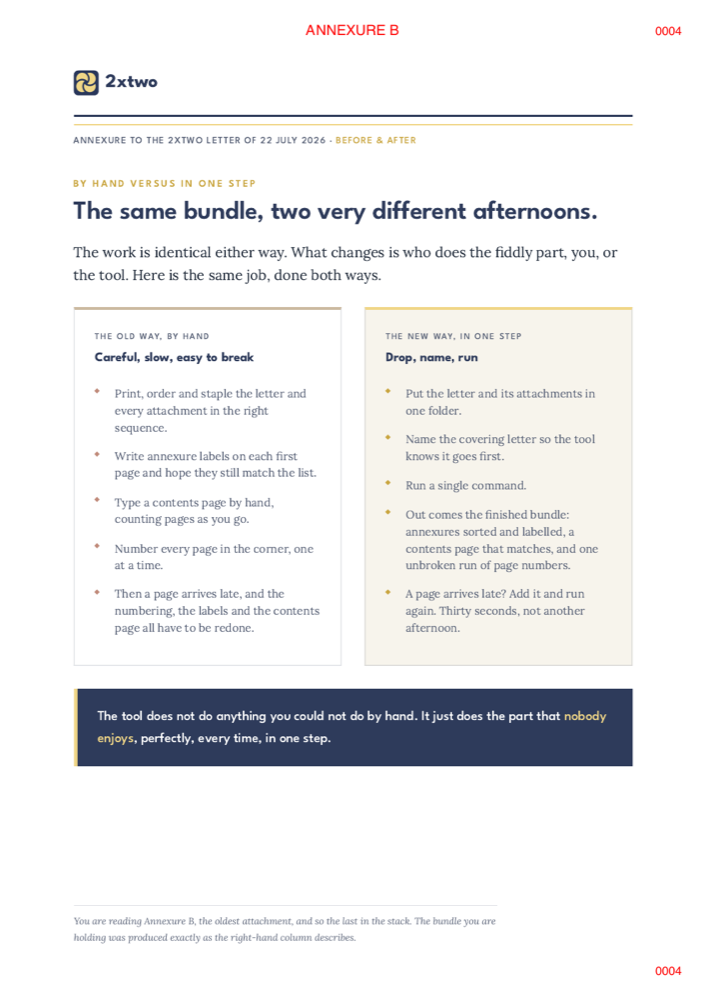
Page 4: Annexure B, oldest attachment Annexure BNewest → oldest

The actual sample, four pages, one continuous sequence. Open the PDF to page through it yourself.

Continuous numbering

One unbroken sequence

A single red number runs from the letter (0001) to the last annexure, so the bundle is citable and cannot be quietly reshuffled or dropped.

Table of Annexures

A contents page that matches

Every annexure is listed with its label and exact page range, built from the real page counts, so it can never drift out of step with the documents.

Stamped exhibits

Labelled, newest first

Annexures are sorted newest to oldest and labelled A, B, C, with the label stamped on each one's first page.

How it works

Drop, name, run

There is no interface to learn and nothing to install for whoever receives the finished bundle. The whole tool is three moves.

Step 1

Drop the files in a folder

The covering letter and every attachment, together in one place. PDFs, scans, whatever you have.

Step 2

Name the covering letter

Prefix its filename with LETTER_ so the tool knows which document opens the bundle and goes first.

Step 3

Run one command

Out comes the finished bundle: annexures sorted and labelled, a Table of Annexures that matches, and one continuous run of page numbers.

What it does for you

Built for documents that have to be right

A Table of Annexures

Generated from the real page counts, with each exhibit's label and page range, so the contents page and the documents can never disagree.

Continuous page numbers

One unbroken sequence in red, top and bottom of every page, that makes the whole bundle citable and tamper-evident.

Stamped exhibit labels

Each annexure's first page is stamped with its label, so any exhibit is identifiable the instant you turn to it.

Sorted newest to oldest

Attachments are ordered by date automatically and lettered A, B, C down the stack. No manual sequencing.

Rebuild in seconds

A page arrives late? Add it to the folder and run again. Everything renumbers and relabels itself, no afternoon lost.

One finished PDF

Everything merges into a single, print-ready document: letter, contents page and annexures, in the right order, ready to send.

See it for yourself

Take the sample apart, then picture it on your own paperwork

The download is small, and it explains itself. If assembling formal bundles is a regular tax on your week, this is the kind of quiet tool 2xtwo builds to carry it.